



Designing the Future of Direct Selling
Transforming legacy direct-selling page into a modern, user-first experience that connects buyers and distributors
Disclaimer
This case study is based on a real project; however, due to confidentiality obligations and a non-disclosure agreement (NDA), certain details have been modified. Product names, visuals, data, metrics, timelines, and specific implementation details have been altered or generalized. The information presented reflects the scope and nature of work, but does not represent the exact proprietary materials or internal data.
Overview
Direct sales companies are shifting their focus from traditional MLM to omni-channel strategy. In this shift the Product Detail Page (PDP) plays a crucial role as the first touchpoint for key users:
PDP User Distribution Based on corporate UX Research
37%
End customers
+27%, FY2024
61%
Distributors
-6%, FY2024
2%
Employees
flat, FY2024
Role
Product Designer
Team
PM • UX Researcher • Product & Graphic Designers • Frontend & Backend Developers
Timeline
Jan – Apr 2025
Platforms
Web desktop and mobile
Challenges
The Amway PDP serves three key audiences simultaneously:
End customers – to explore and purchase products;
Distributors (ABOs) – to educate clients and sell products;
The company itself – to drive conversions, and ensure brand consistency across markets;
Nowadays the page no longer fully meets the needs of any of its target groups:
It is overloaded with technical content;
Lacks clear hierarchy and prioritization;
The UX patterns and visual design are outdated;
Misaligned with business goals;
Localization is hard to implement;
Not fully optimized for mobile;
After identifying these issues and conducting a usability study, it became clear that a redesign was necessary to better serve all three user groups and align the page with business objectives.
Following thorough UX research and the use of various frameworks, we focused on three key HMWs to guide our design decisions:
HMW #1
Customers. Improve Product Discovery
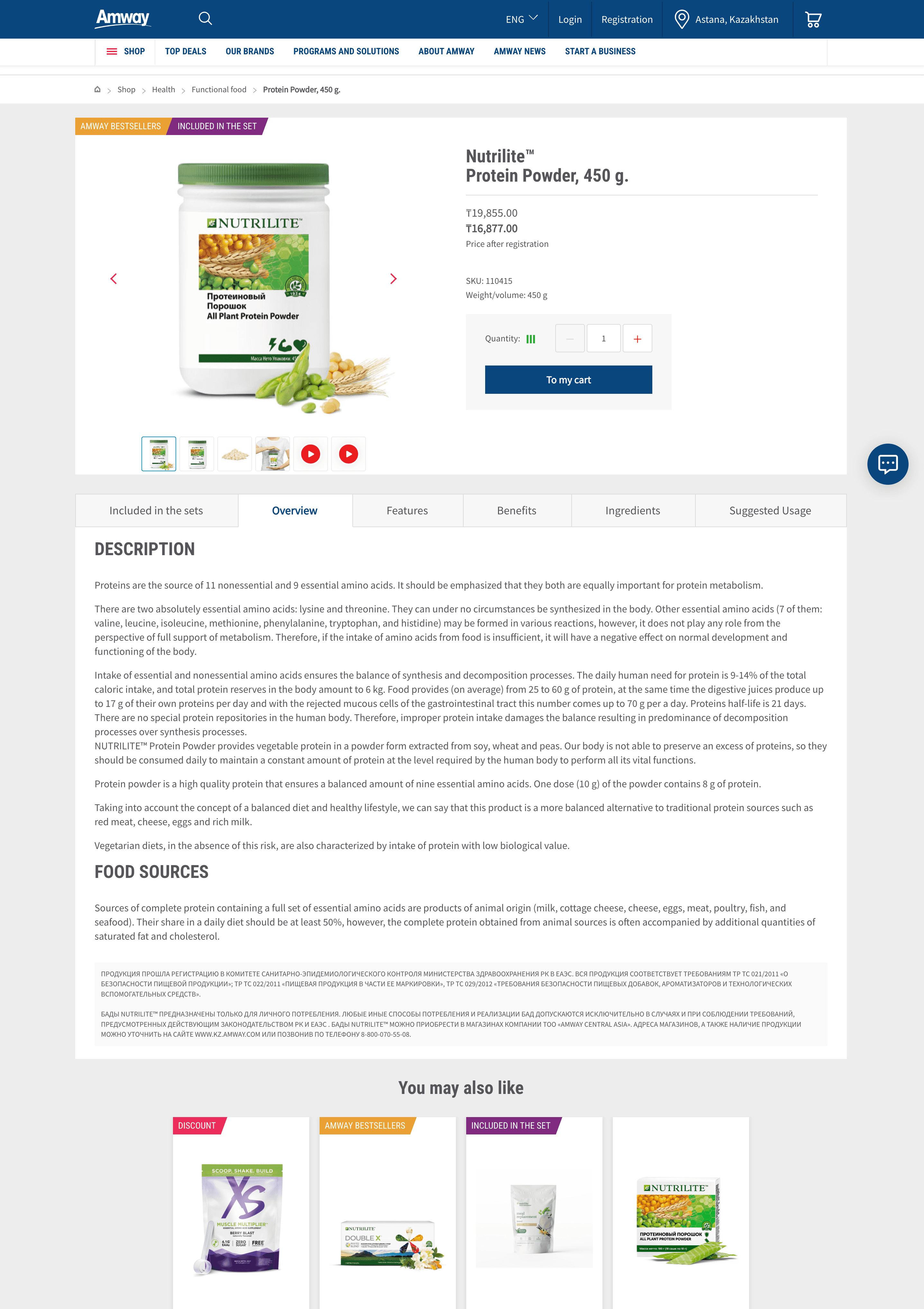
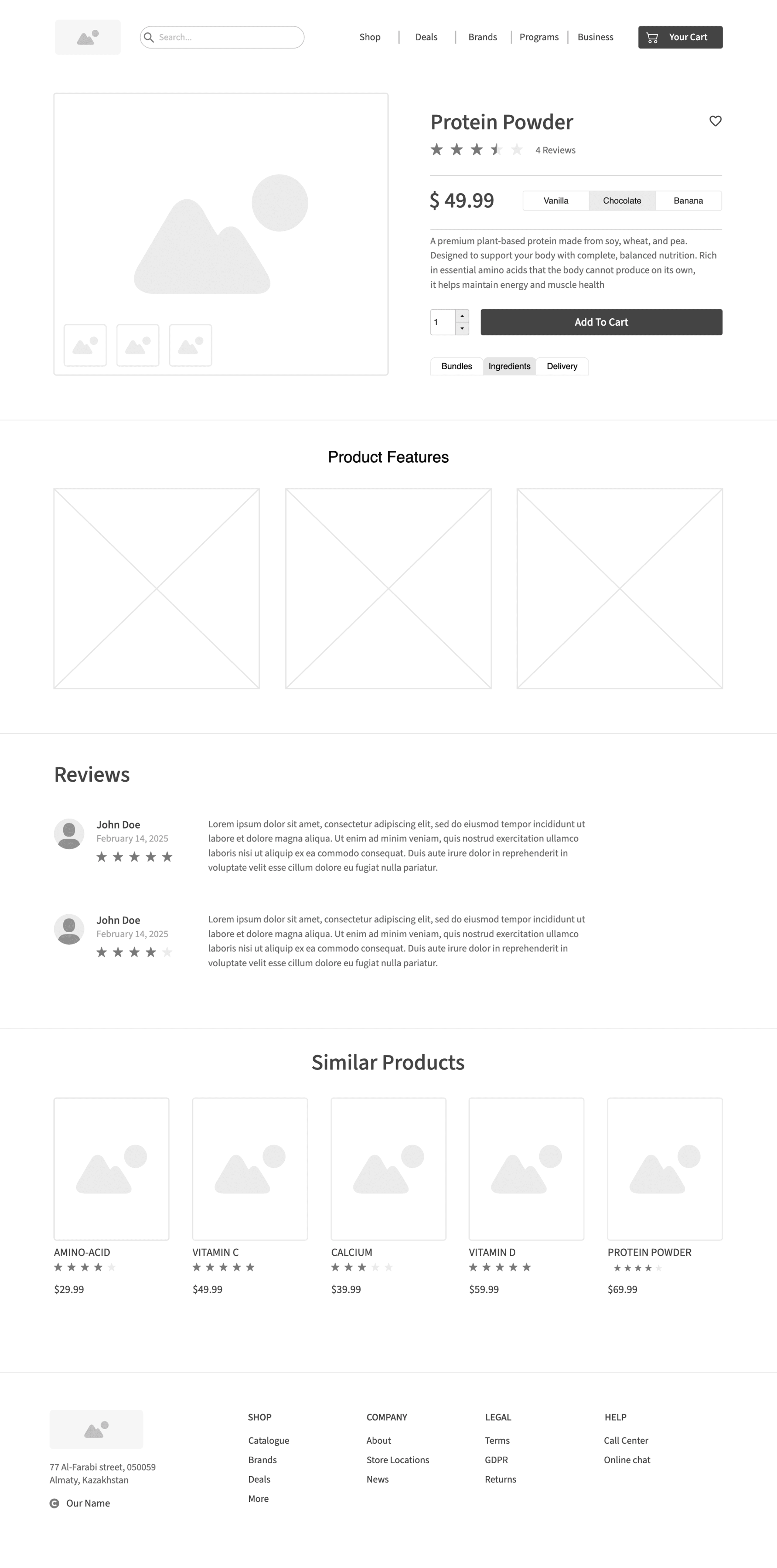
Before
Distributor-driven: acts more as a reference sheet for ABOs explaining the product, rather than a page designed for direct consumer purchase.
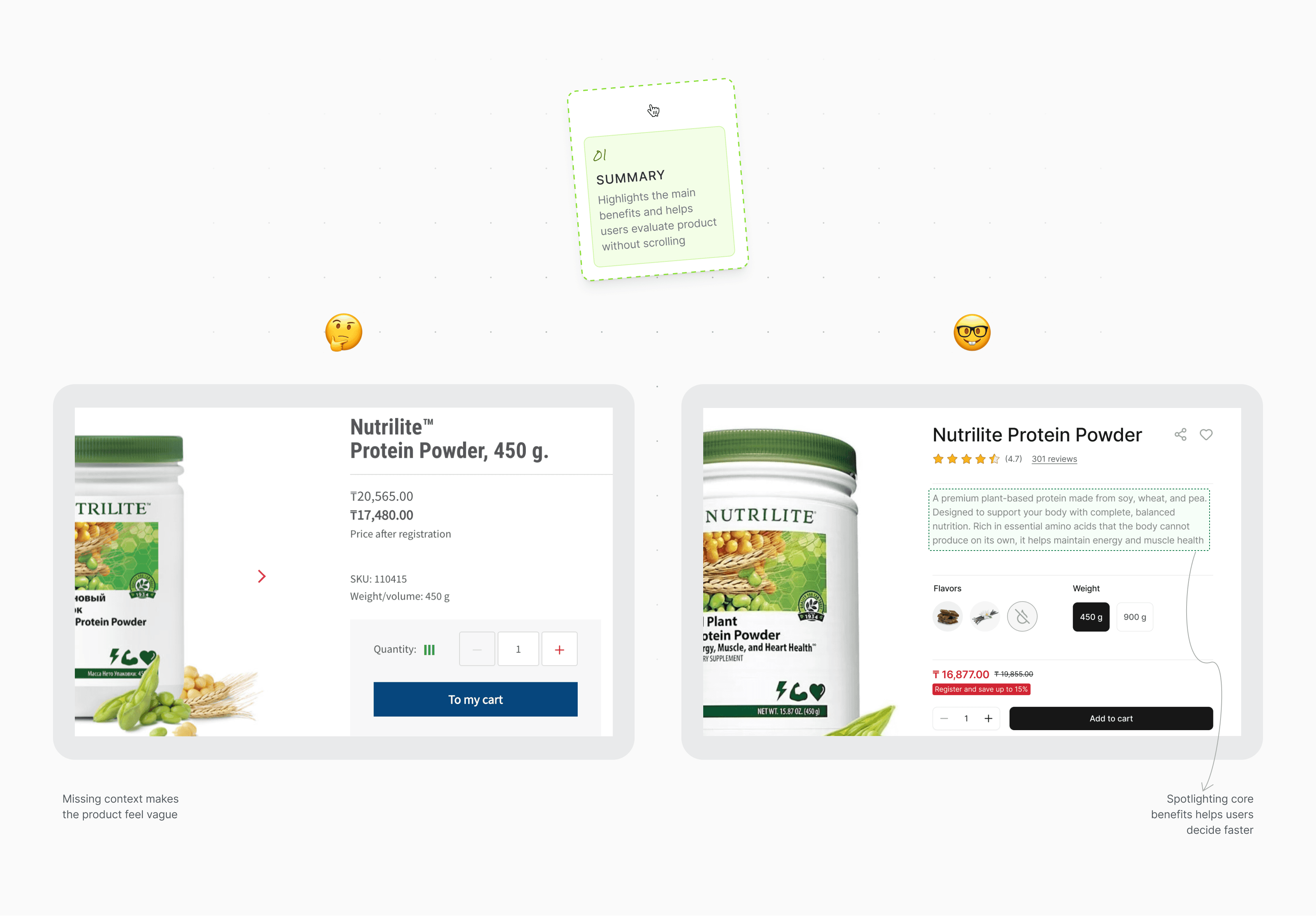
Lacks a product description and variants. No user reviews or shopping list features.
After
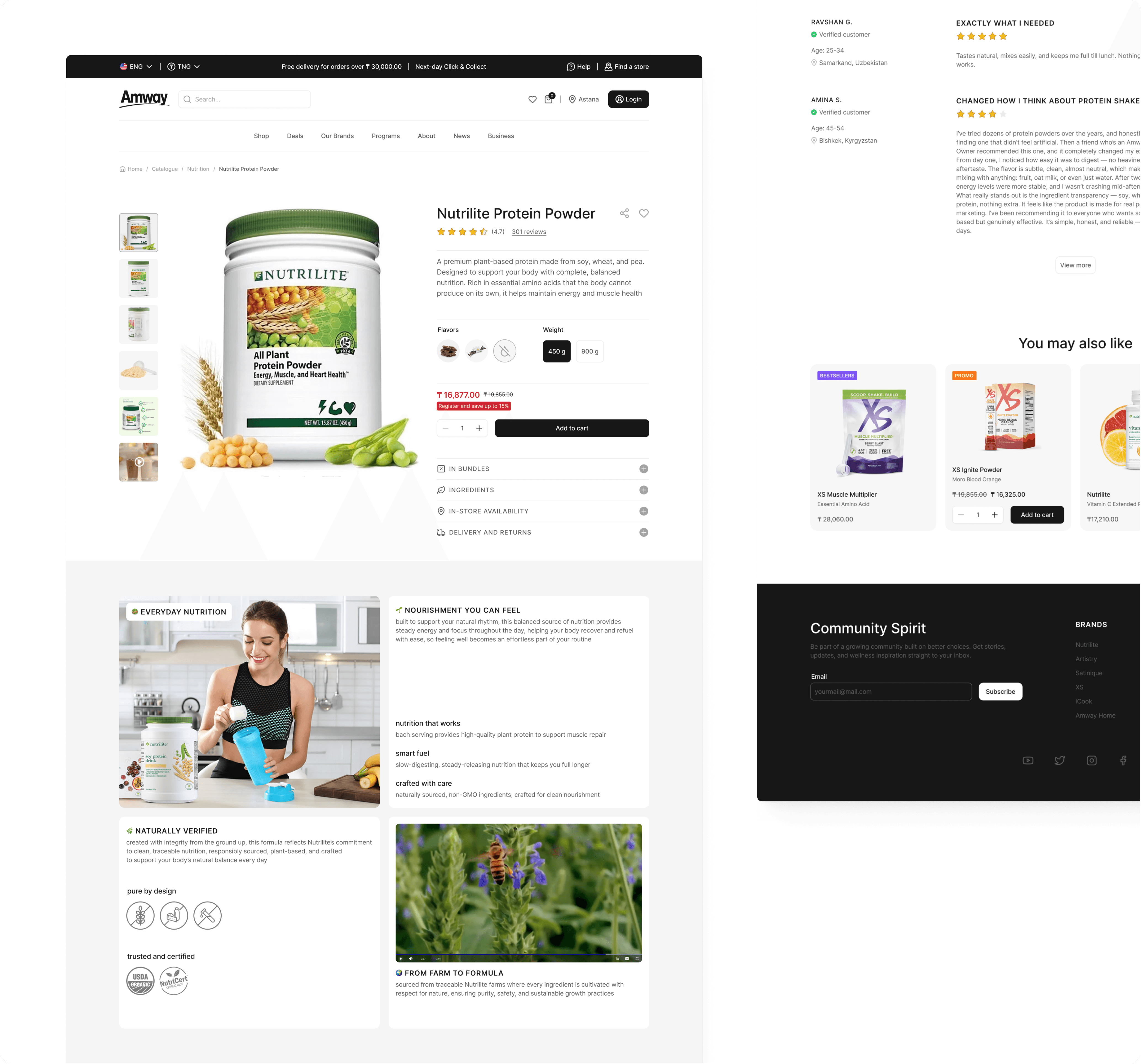
Product Description to highlight key benefits at a glance
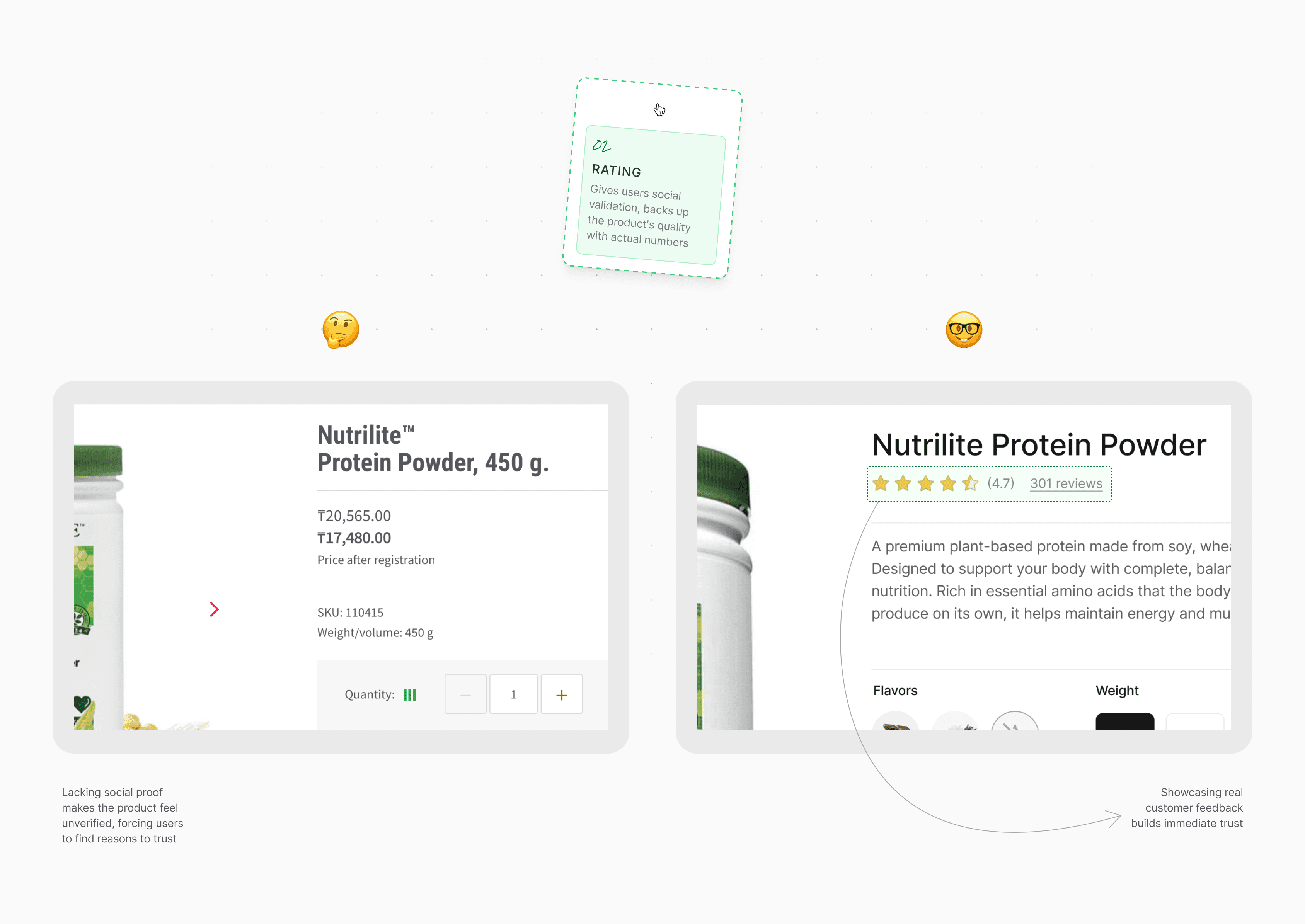
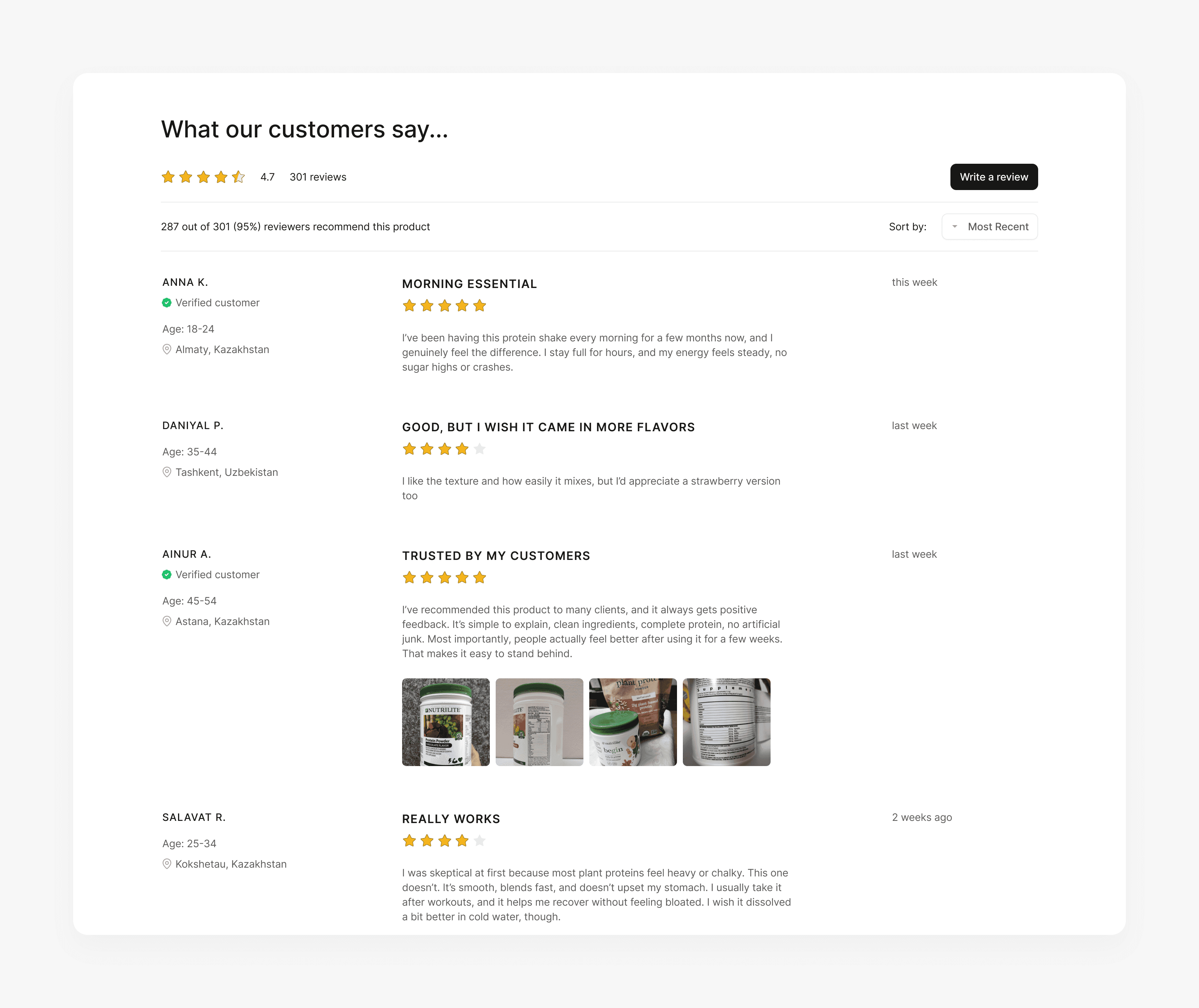
Reviews & Rating to help evaluate product suitability
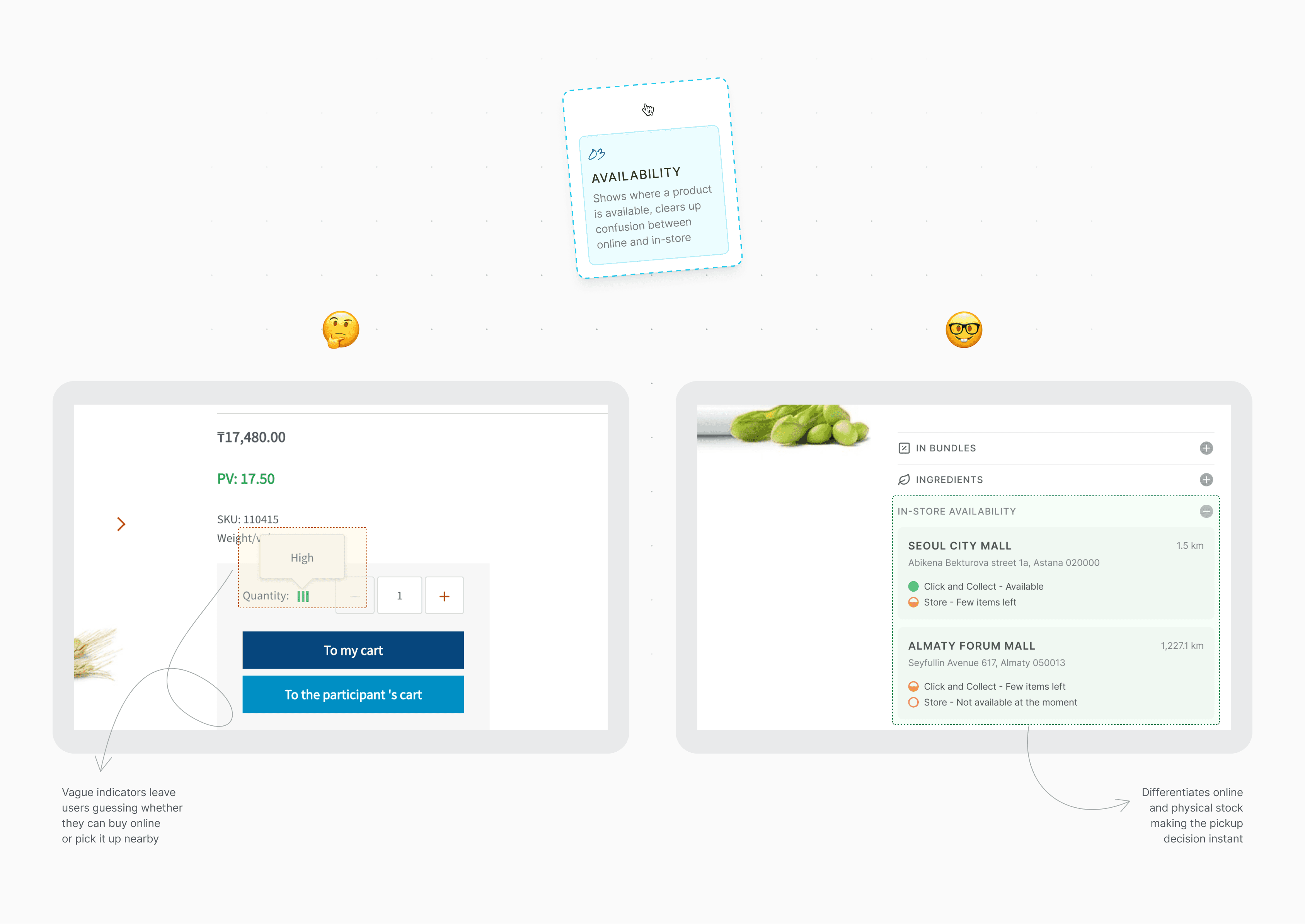
In-Store Availability indicator showing real-time stock levels
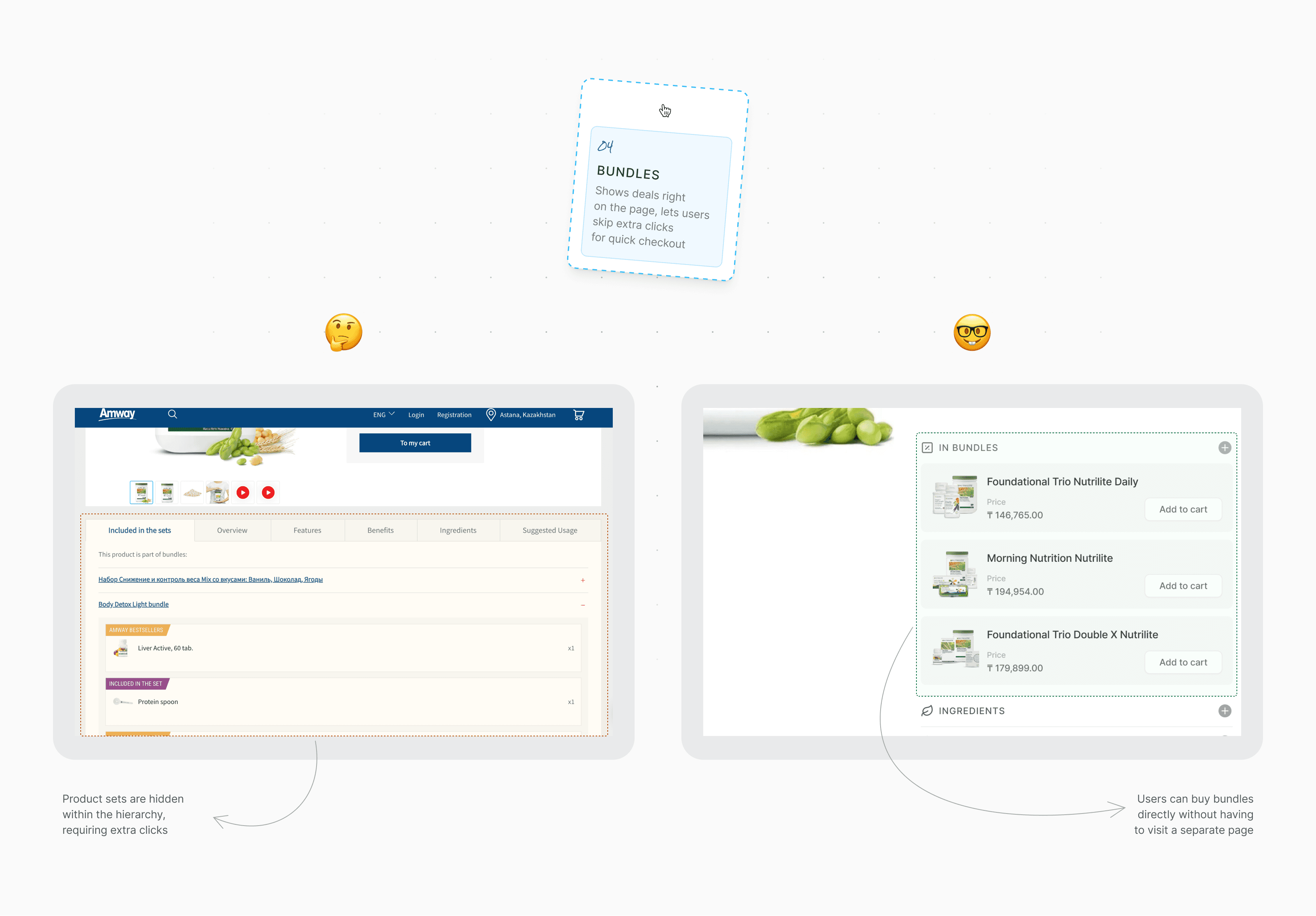
Bundles allowing quick add-to-cart functionality
Delivery cost preview & Return Policy summary to build confidence and reduce frictions in the user journey
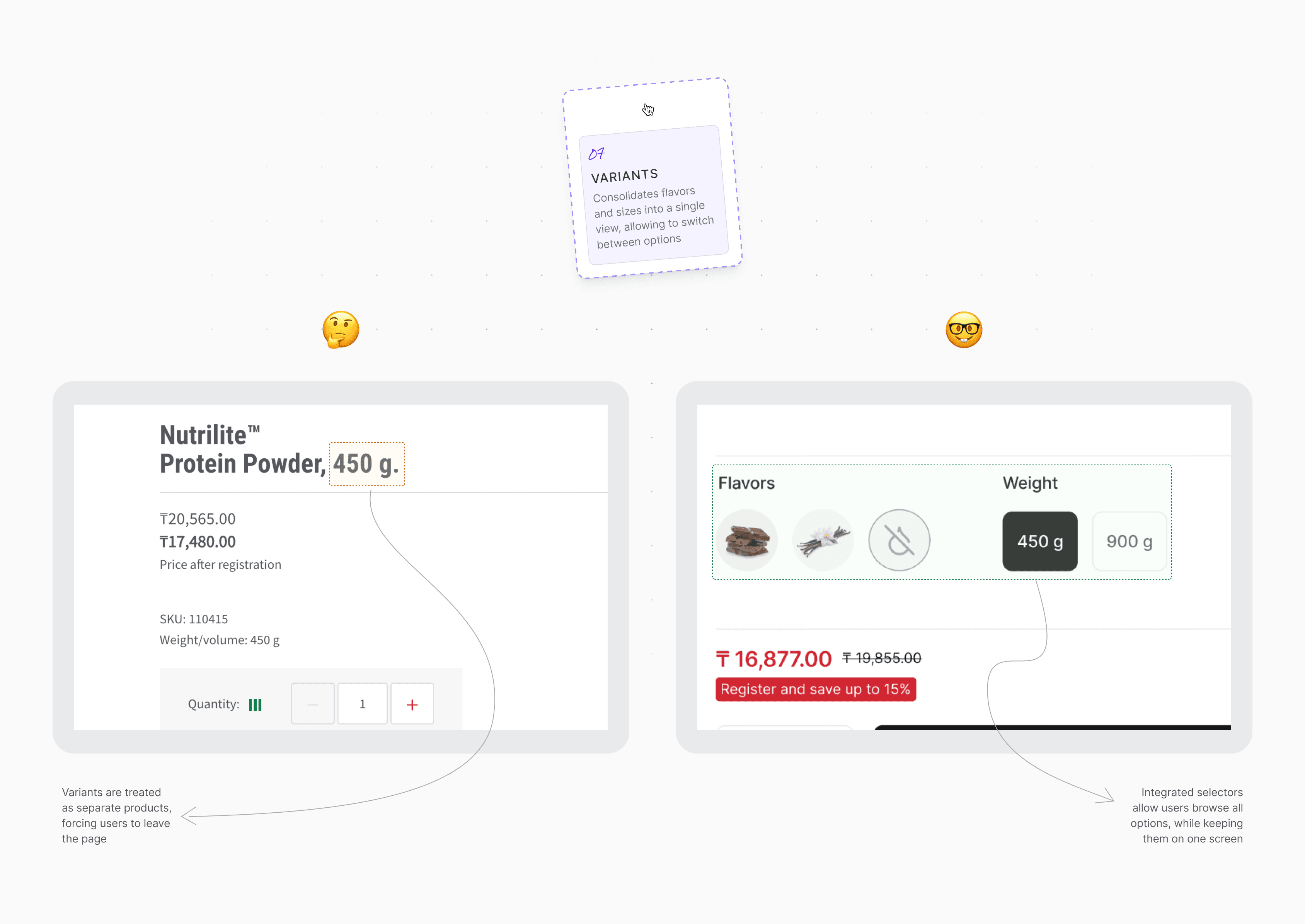
Flavor & Weight selector for customization and x-sell
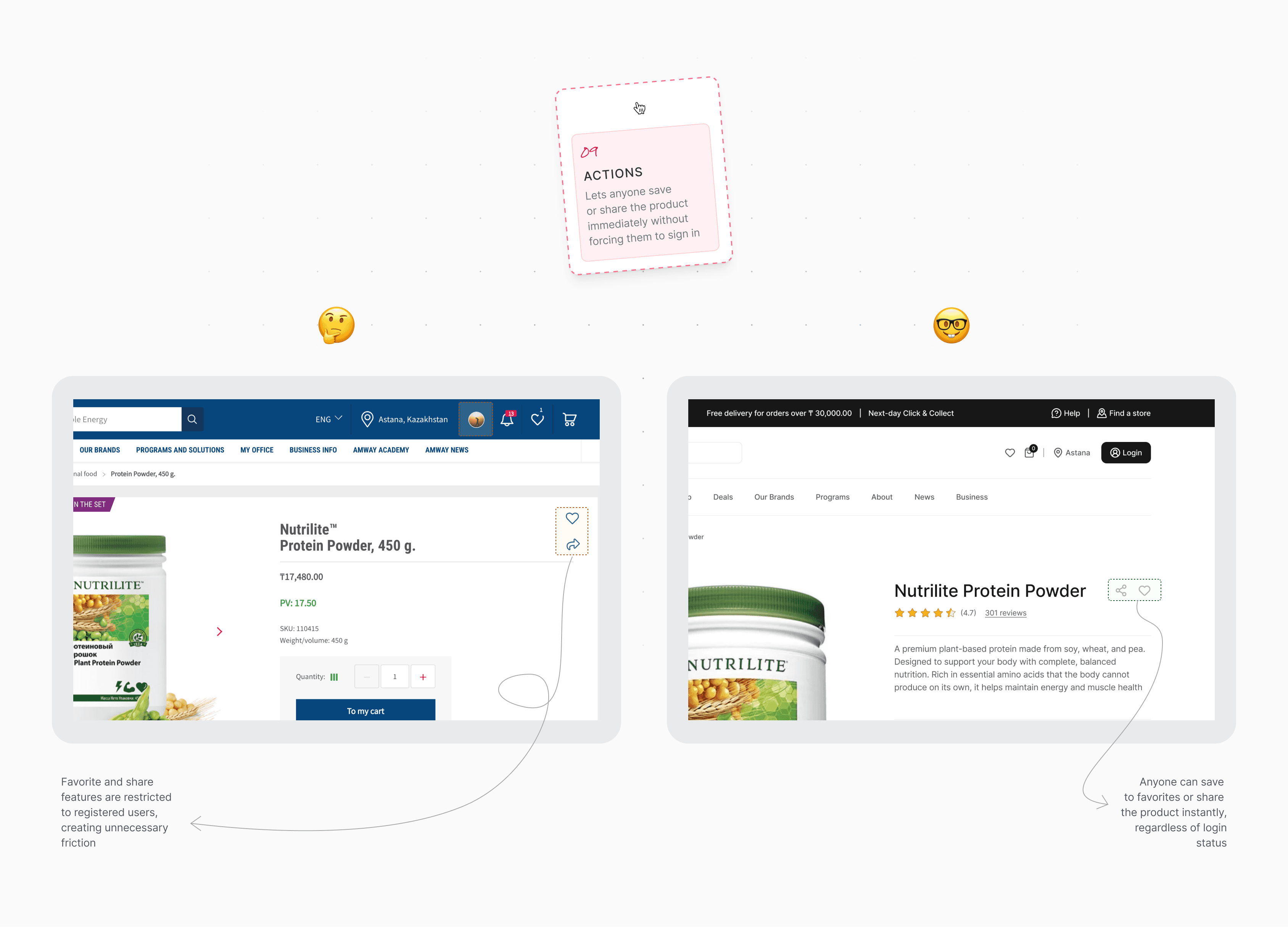
Sharing & Add to Favorites for greater interaction and list-building
Customer feedback
"I like how easy it is to choose the right option. Flavor, size, everything’s clear. The delivery info and reviews help me feel sure about what I’m getting"
Daniyal R., Kazakhstan
"It’s clean and simple. I can find what I need fast, see if it’s in stock, and even save my favorites for later. Feels effortless to shop now"
Altynai N., Uzbekistan
HMW #2
ABO. Simplify education and promotion
UX Research:
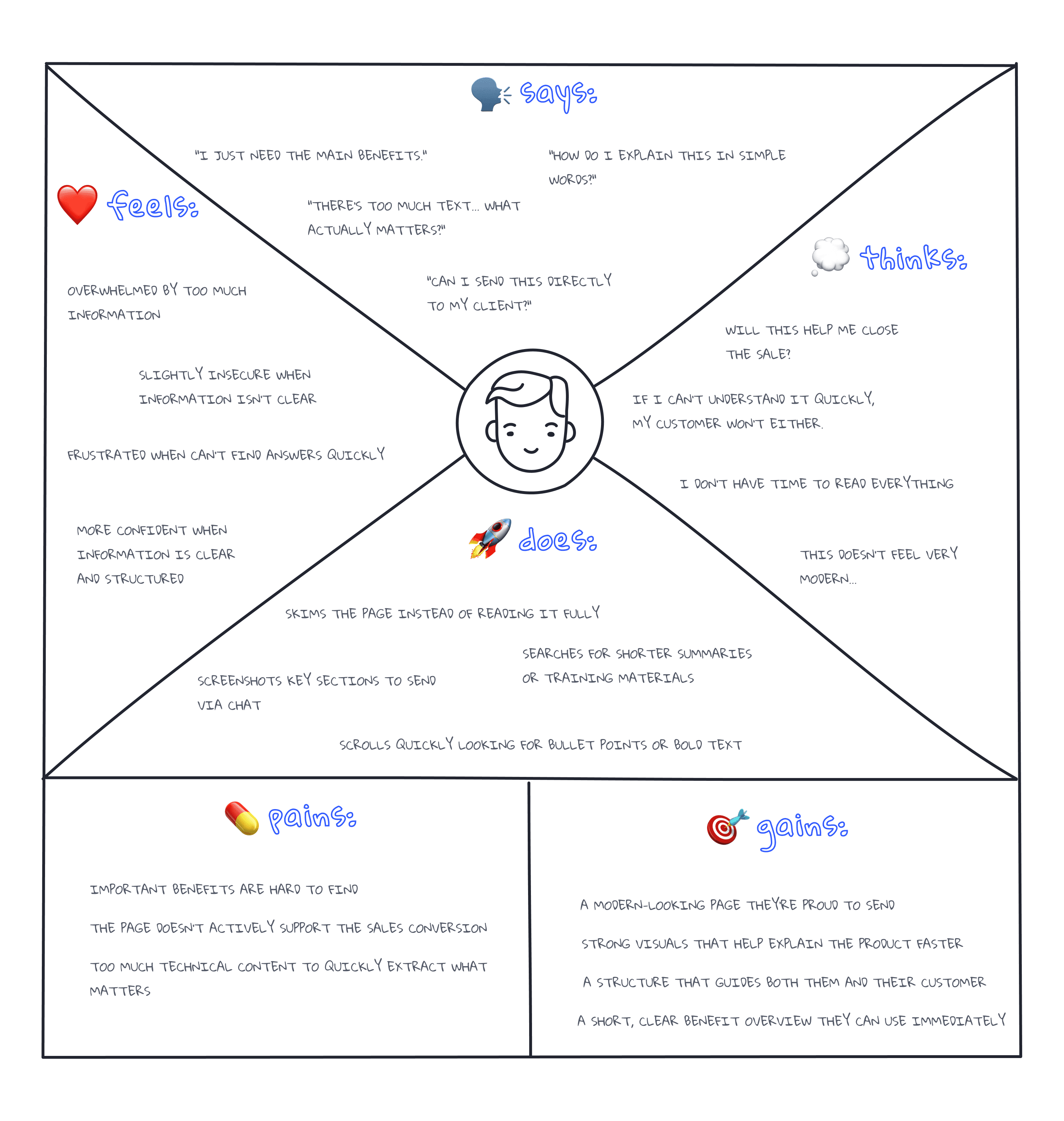
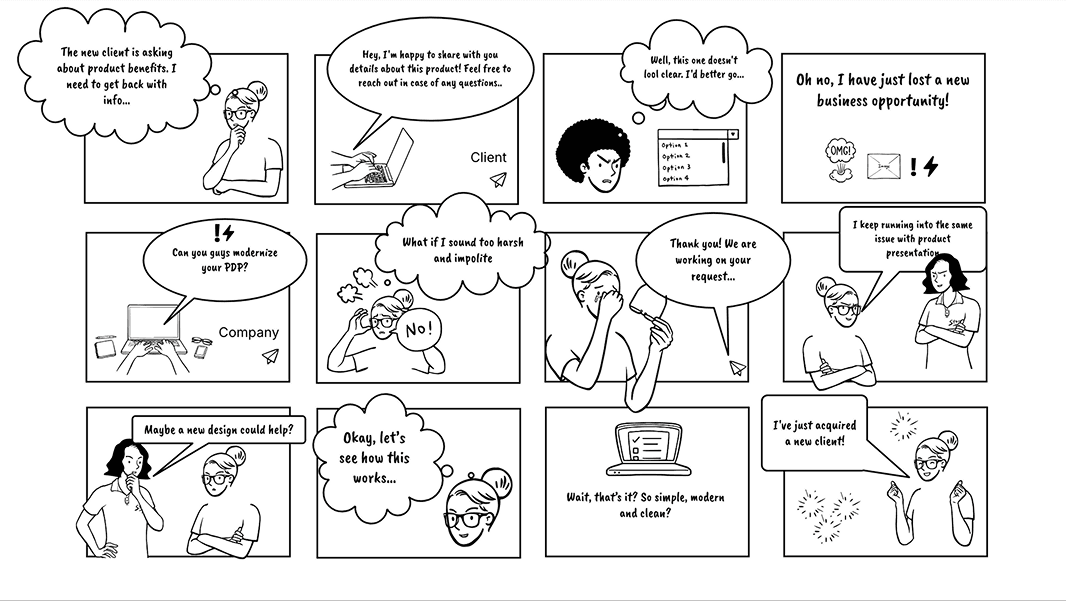
Amway Business Owners (ABOs) remain the largest and most active group of PDP users, so UX research focused heavily on their behaviors, feedback, and unmet needs. Based on this, three priority goals were identified:
1
Preserve essential tools while modernizing UI
2
Improve mobile usability
3
Enhance user engagement and trust
Goal #1
Functionality & Redesign
Before
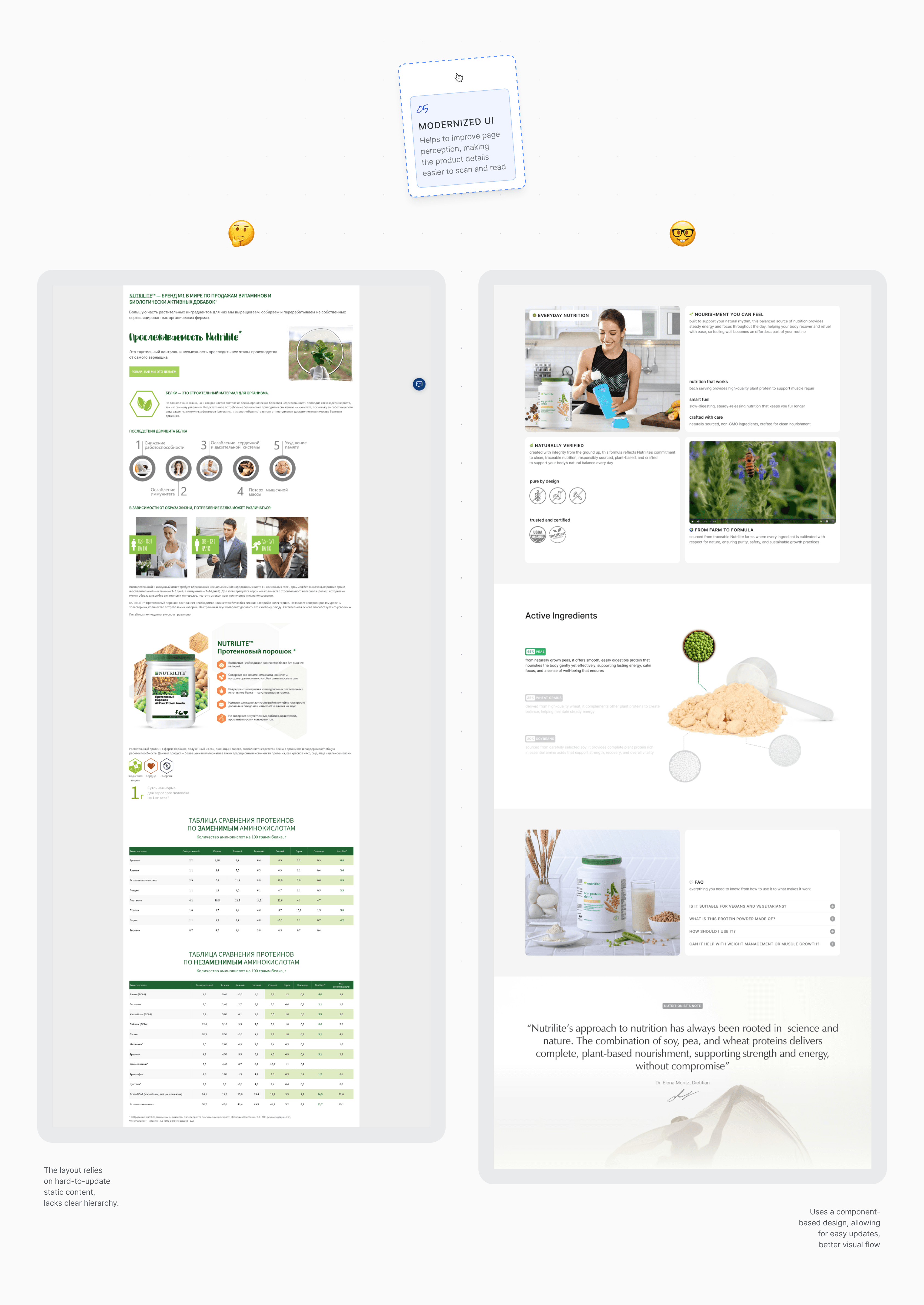
Dense with information and rich in brand storytelling, but lacks clear UX hierarchy. Some points are repetitive and can be consolidated.
Non-scannable tables. Content untranslated due to missing localization. Key information can be transformed into more visual elements.
After
Generic information moved to a dedicated Brand Center
Tables converted into cards
Photo gallery refreshed with more modern images
FAQ section added for topics consolidation
Duplicated information removed
Interactivity added
Long-form content converted into cards, reducing scroll depth by two screens
Goal #2
Mobile usability
Before
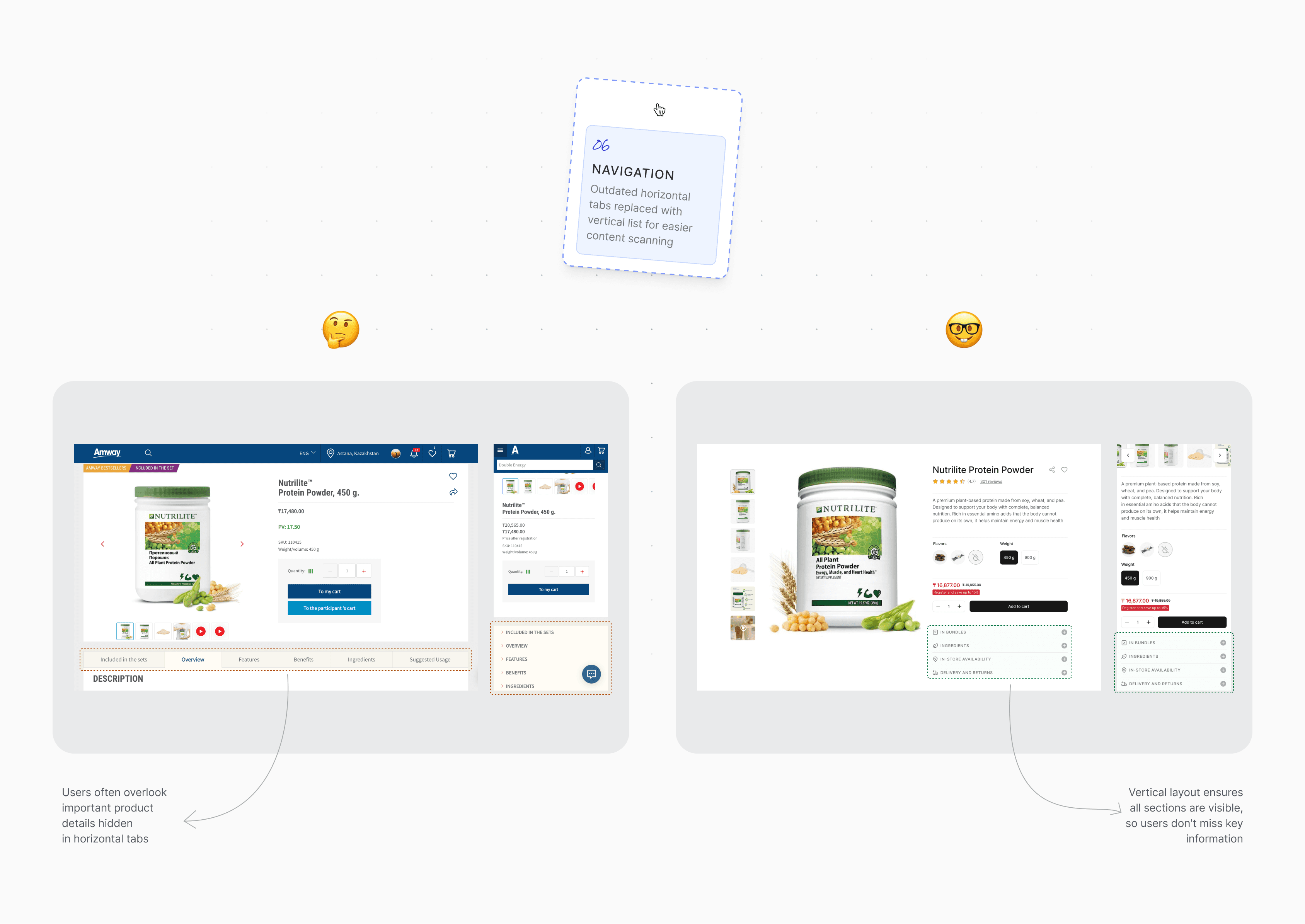
Content-heavy page, difficult to adapt for mobile. Information is hidden within accordion tabs, and due to the page's length, even expanded tabs require further "Show All" clicks to access full content.
After
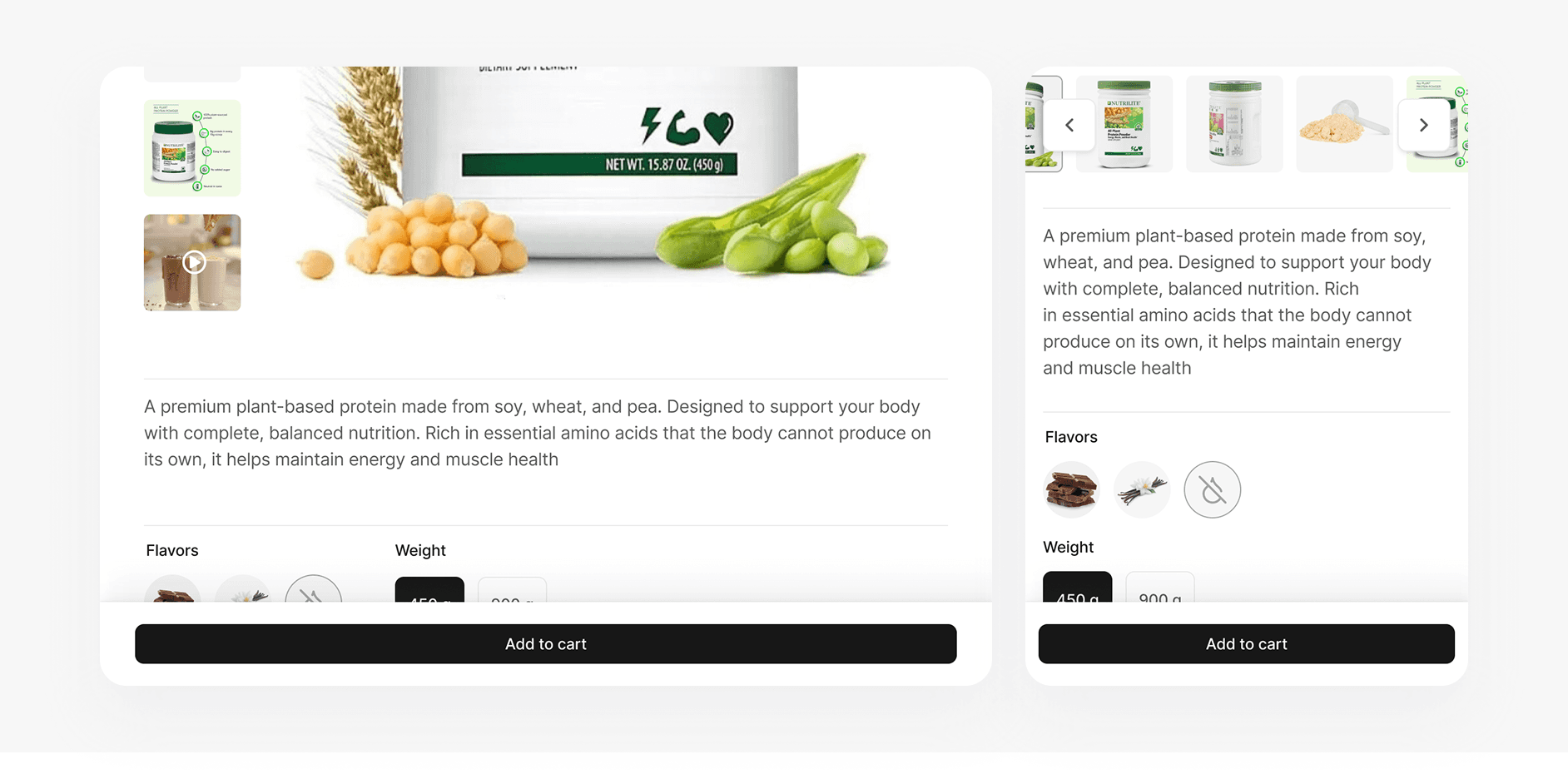
Horizontal tabs replaced with stacked sections for easier scrolling and better responsiveness
Sticky CTA "Add to Cart" remains accessible while scrolling
All sections resize correctly on smaller screens
Images and media optimized for faster load
ABO feedback
"The page feels much easier to work with on mobile. Before I had to open multiple tabs and keep clicking to find the details I needed. Now the information is easy to scroll through"
Amina S., Kyrgyzstan
"It's much easier now to present the product to customers. The content feels cleaner, and I can find the most important details faster without getting lost in long sections"
Marzhan U., Kazakhstan
Goal #3
Engagement & Trust
Before
No client reviews, which limited social proof, and the ABO’s ability to effectively promote products.
After
Insights from real customers to support ABOs in demonstrating product credibility and build trust.
HMW #3
Company. Make the PDP scalable and flexible
Before
Non-scalable, relying on hard-coded elements that limit the options to add new content.
Due to the lack of localization, the content could not be translated into all languages of the markets where the company operates.
The absence of a Save feature for non-registered users led customers to use the cart as a storage tool, artificially inflating stock and conversion metrics.
After
UI modernized to improve overall brand perception
Reusable components and consistent localization standards for scalability across markets
Translation to other languages
Options for flavors and weights to create upselling opportunities
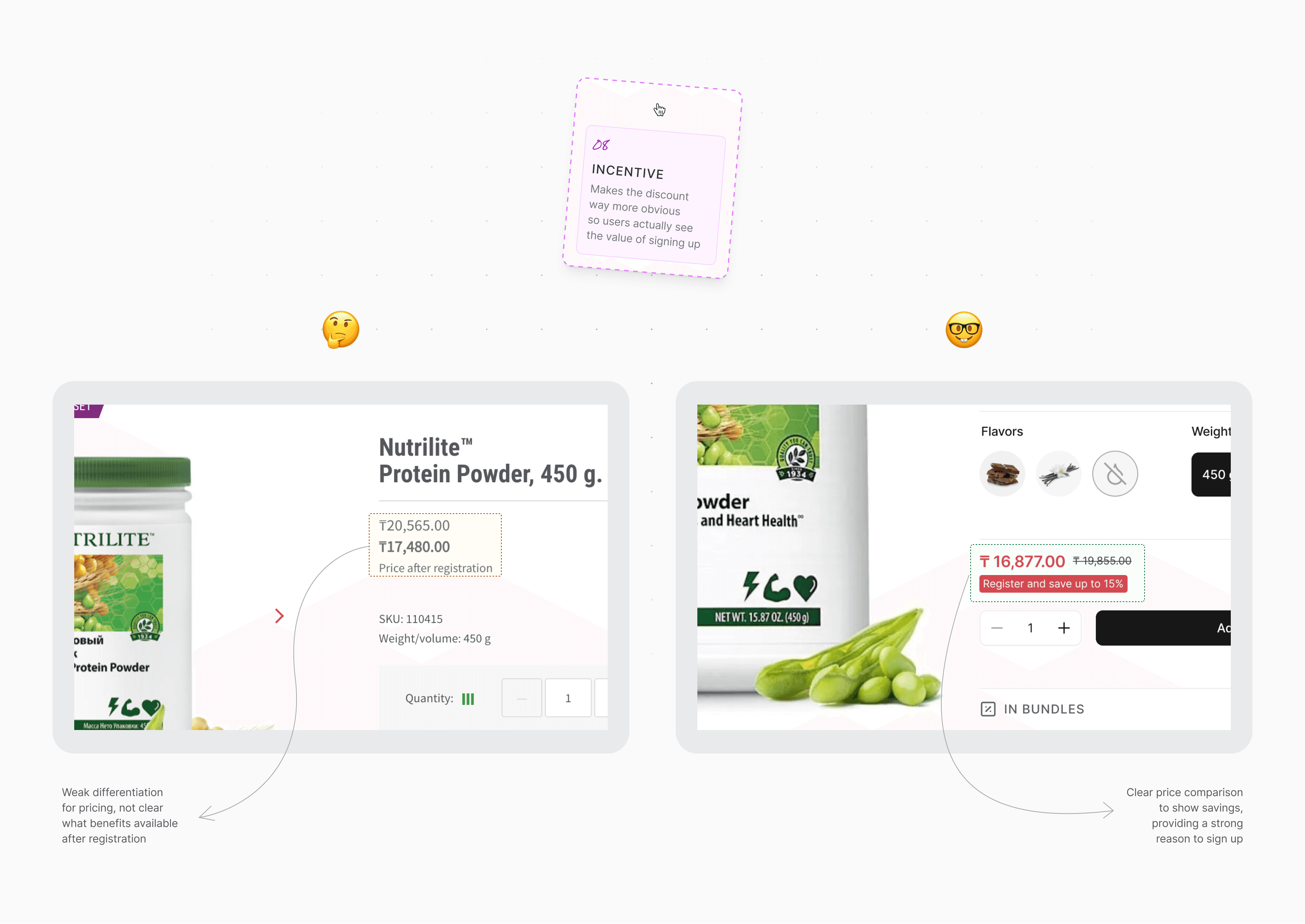
Pricing made more prominent to encourage registration and drive conversions
Proper Add to favorites feature preventing artificial stock inflation
Employee feedback
"The updated PDP feels much better to manage and more adaptable for local markets. The content is easier to localize, and it finally feels like a page we can scale instead of constantly working around technical limitations"
Erzhan, Marketing Team
"The redesign solves several long-standing issues. The page works much better on mobile, and the Add to Favorites removes the need to misuse the cart. It’s a much healthier setup"
Marina, Sales Strategy Team
Final Results

Outcome & Business Impact
While full performance metrics were not yet available at the time of this case study, early validation and internal testing showed strong improvements:
22% fewer taps on mobile to access key product information;
31% faster discovery of critical details such as delivery, reviews, and availability;
2 screens less scrolling after converting long-form content into card-based sections.
The metrics confirmed that the redesign was moving in the right direction.
Overall, the changes helped align the PDP closely with the company’s omnichannel strategy, transforming it into a more balanced experience that better suits customers, ABOs, and employees.