Infinite UI Design System
Flexible UI framework built to bring clarity, consistency, and speed to digital products
Highlights
📖 1.Background
In my day job, one of the things I enjoy most is maintaining and developing corporate design system. There's something satisfying about building a foundation from scratch: starting with the smallest building blocks, like atoms and molecules, and scaling them up to complex components and templates.
It’s no surprise that in my free time I’m also creating my own design system as a personal side project. For me it’s both a hobby and a way to experiment with ideas I don’t always get to explore at work.
The full release is planned for 2026, but here’s a sneak peek into my process and a few highlights from the system so far:
📄 2.Documentation
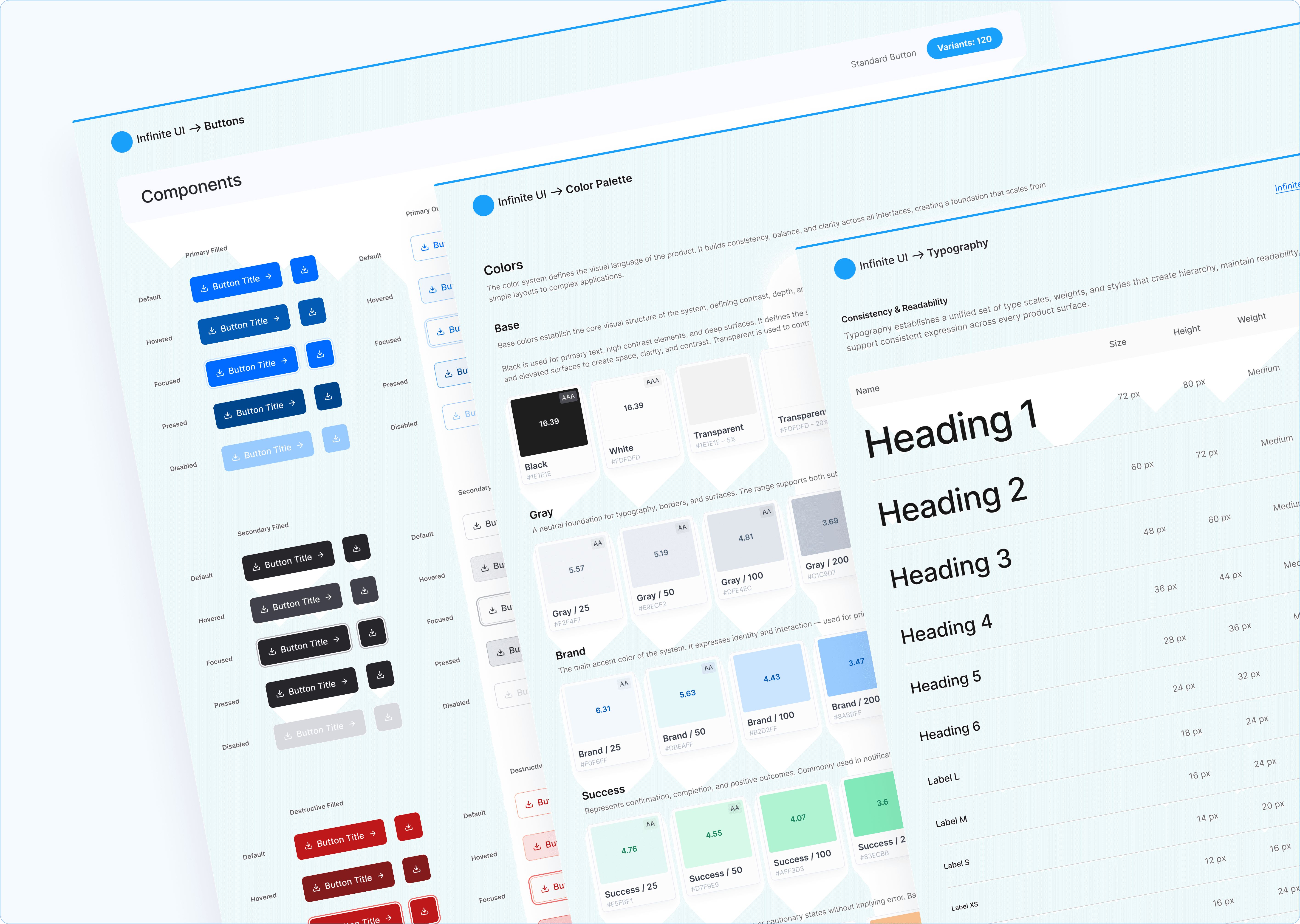
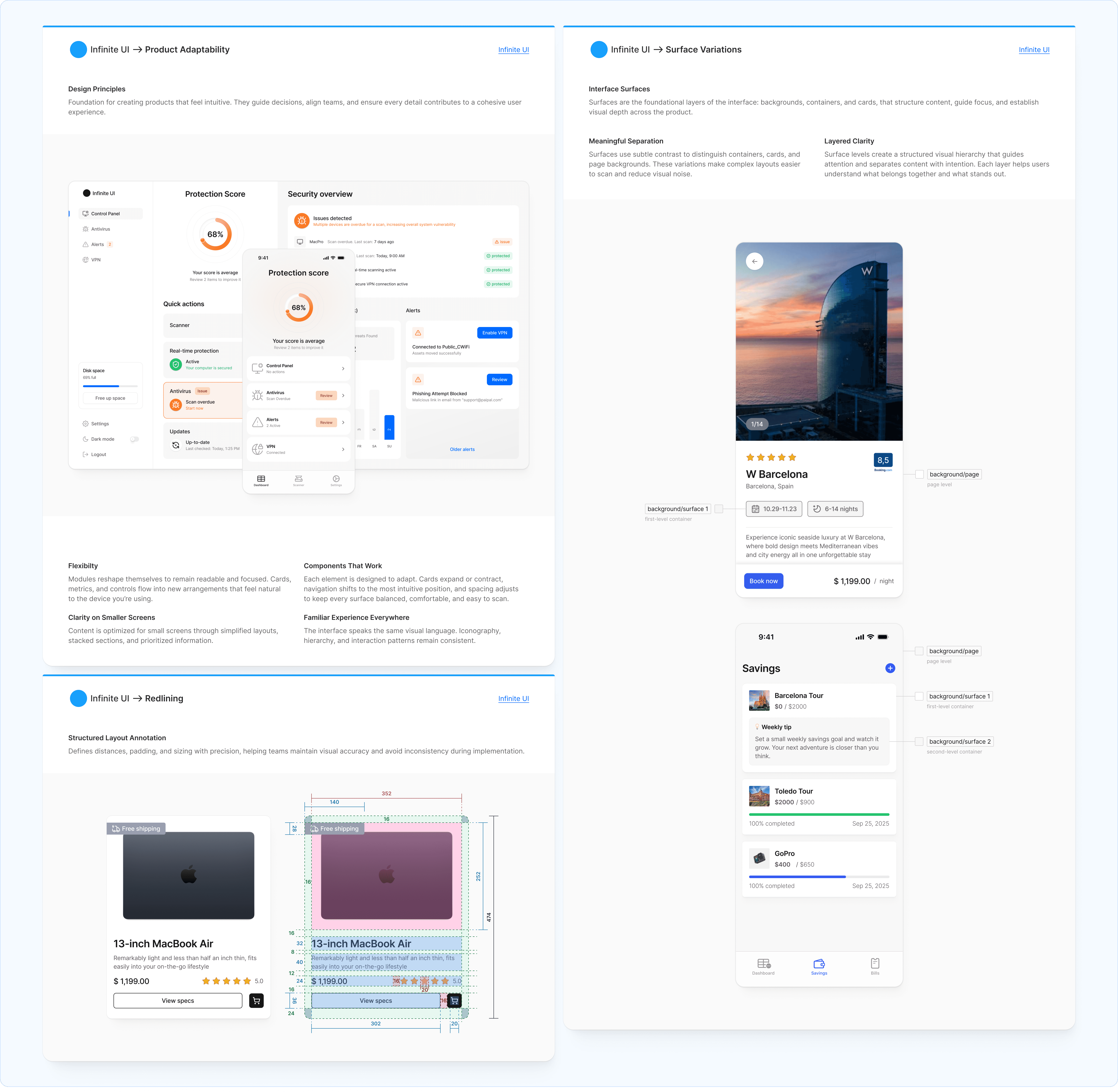
Every part of the system, from the smallest atomic elements to complex product screens is supported by detailed documentation.
Guidelines include the essential information on how to use components correctly, along with recommended best practices. Every element is documented from both UX and UI perspectives, including precise details such as spacing, margins, and usage rules.
📱3.Responsive by Design
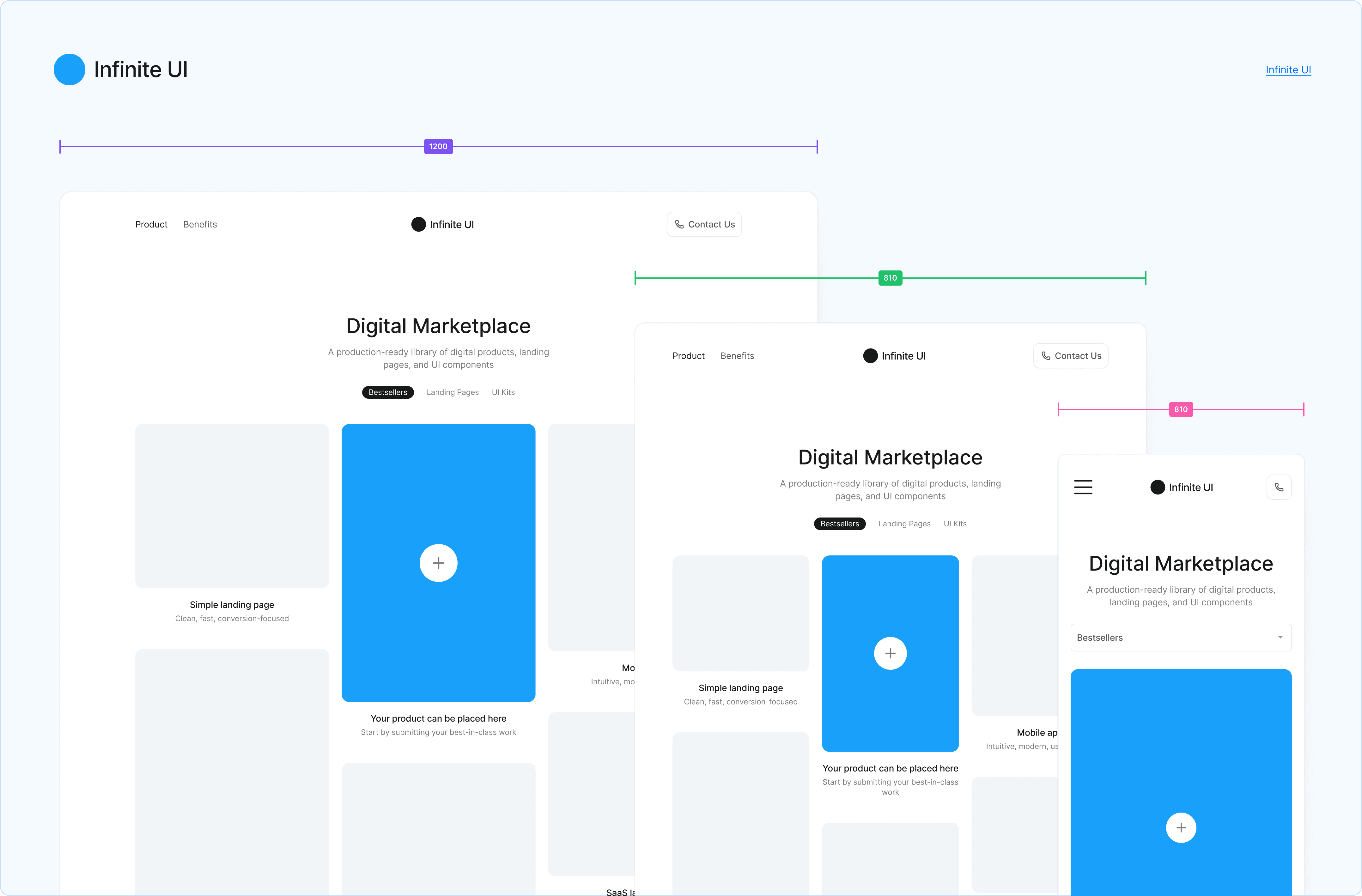
I started to design the system with responsiveness in mind from the very beginning. It scales fluidly across desktop, tablet, and mobile, creating a consistent experience on every screen.
🎨 4.Colors
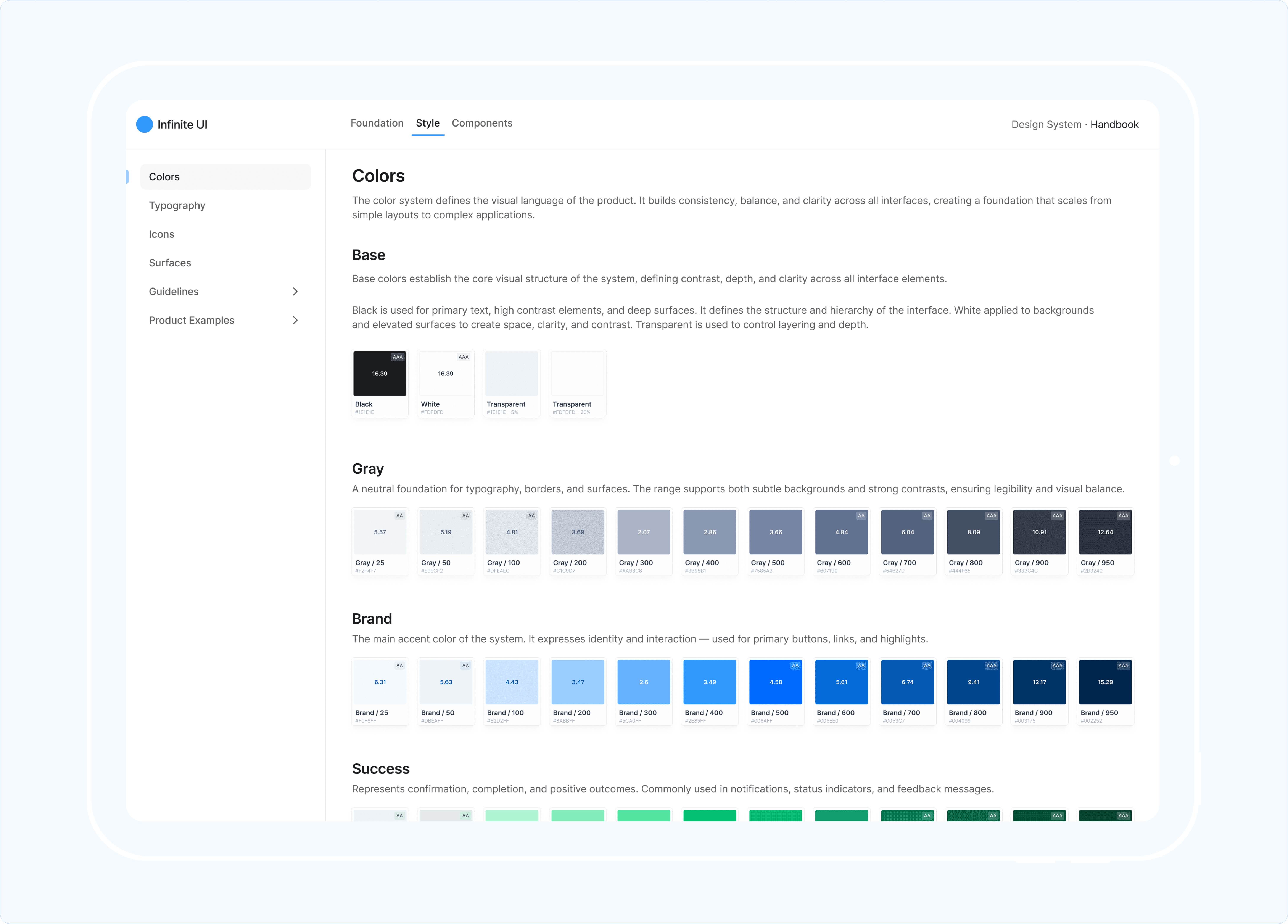
The system features an extensive color palette, including a base set (black, white, and transparent), five functional colors (gray, brand, success, warning, and error), and 16 additional colors with multiple shades. Such a breadth allows it to support everything from a simple landing page to a complex SaaS application.
Each color has 12 shades, ranging from lightness 25 to 950, thoughtfully designed with hierarchy and tonal balance in mind. This wide range helps differentiate various system states, from default to disabled and every intermediary state.
All colors are WCAG-compliant, ensuring interfaces are legible, balanced, and accessible, no matter the context.
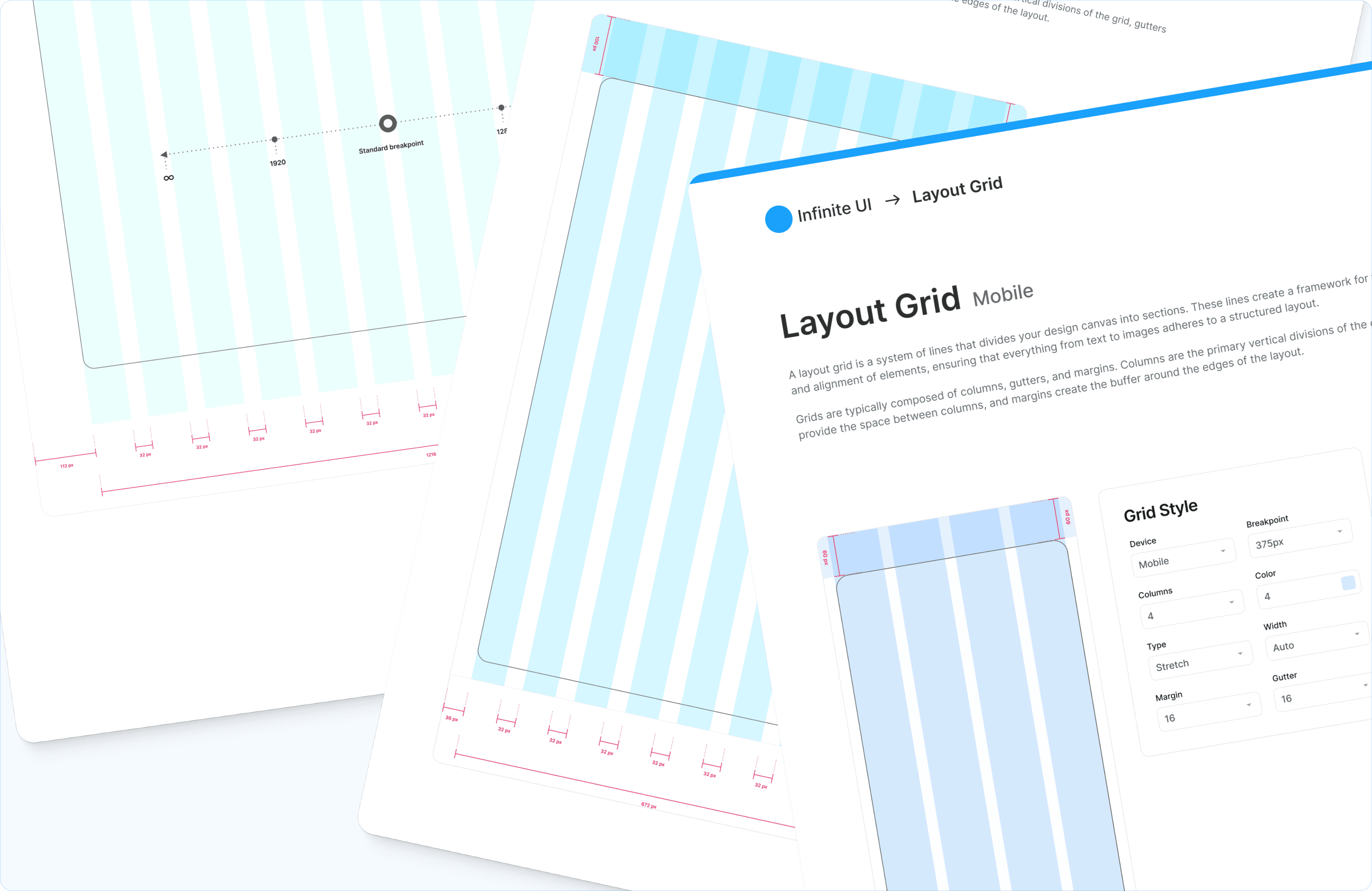
📐 5.Layout Grid
To keep every element precise, the system uses layout grid. It ensures components are aligned and balanced, scale gracefully across different screen sizes.
🧩 6.Components
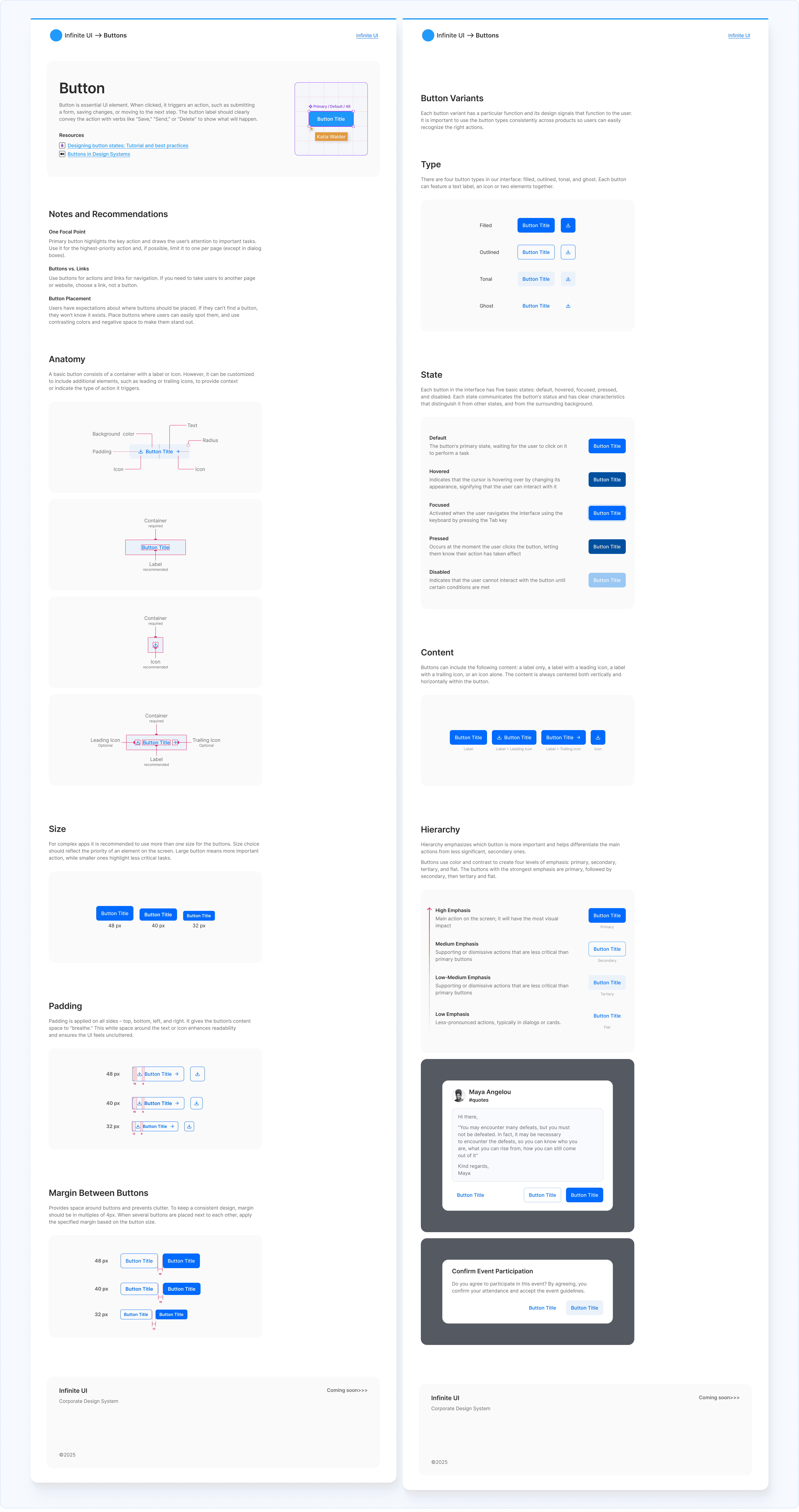
Clear component documentation is a core part of the system. Each component includes a description of its properties and dependencies, guidance on how to use it, and product examples showcasing it in context. This is especially useful for collaborative work between design and development teams.
⚙️ 7.Component States
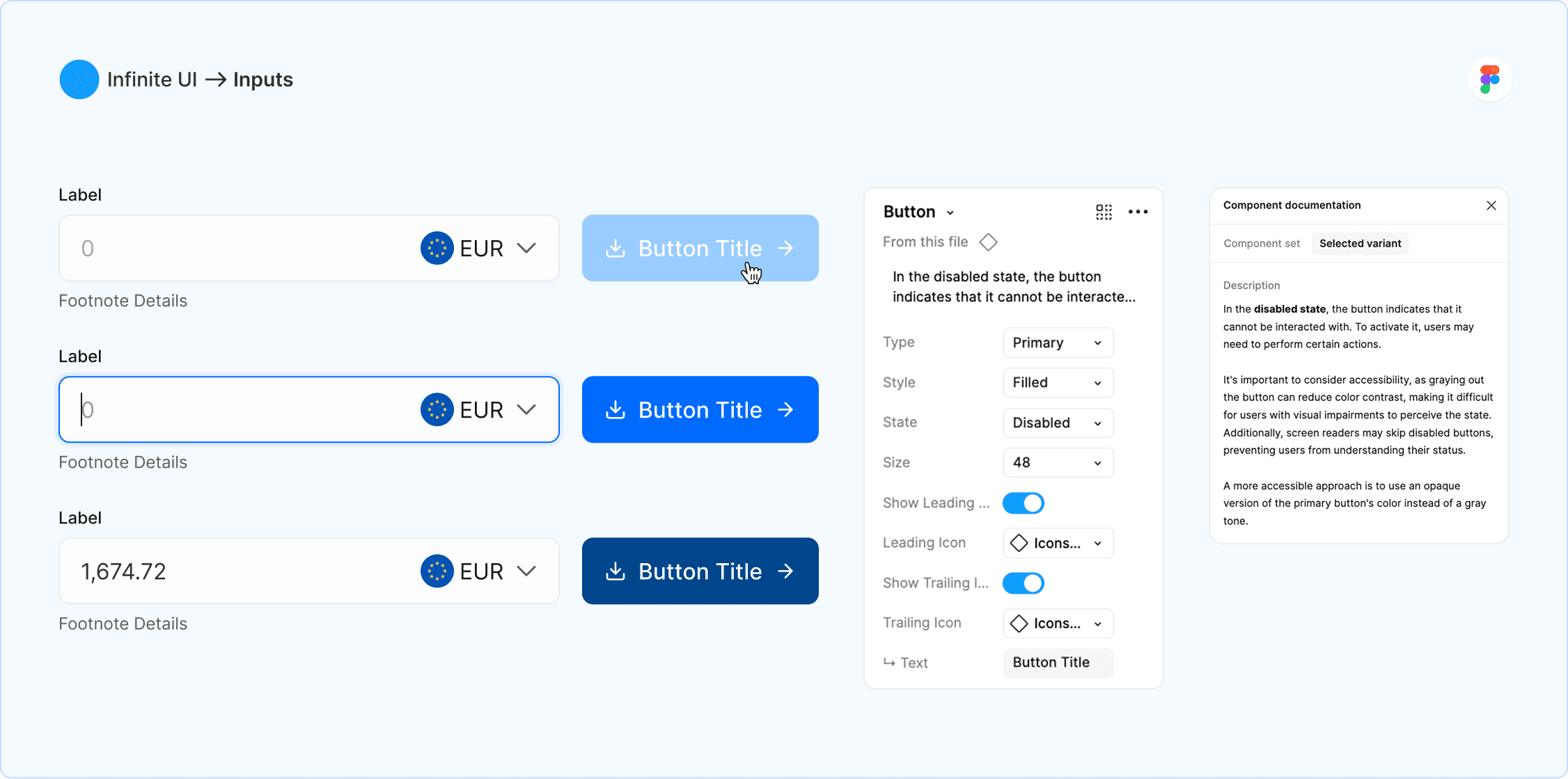
Each component is managed through a properties panel and includes all necessary attributes, such as states, size, style, and nested items. This makes mock-ups feel true to life and ensures developers always know how every component should behave.
Additionally, all the components include their own helper description for guidance and context.
📦 8.Product Elements
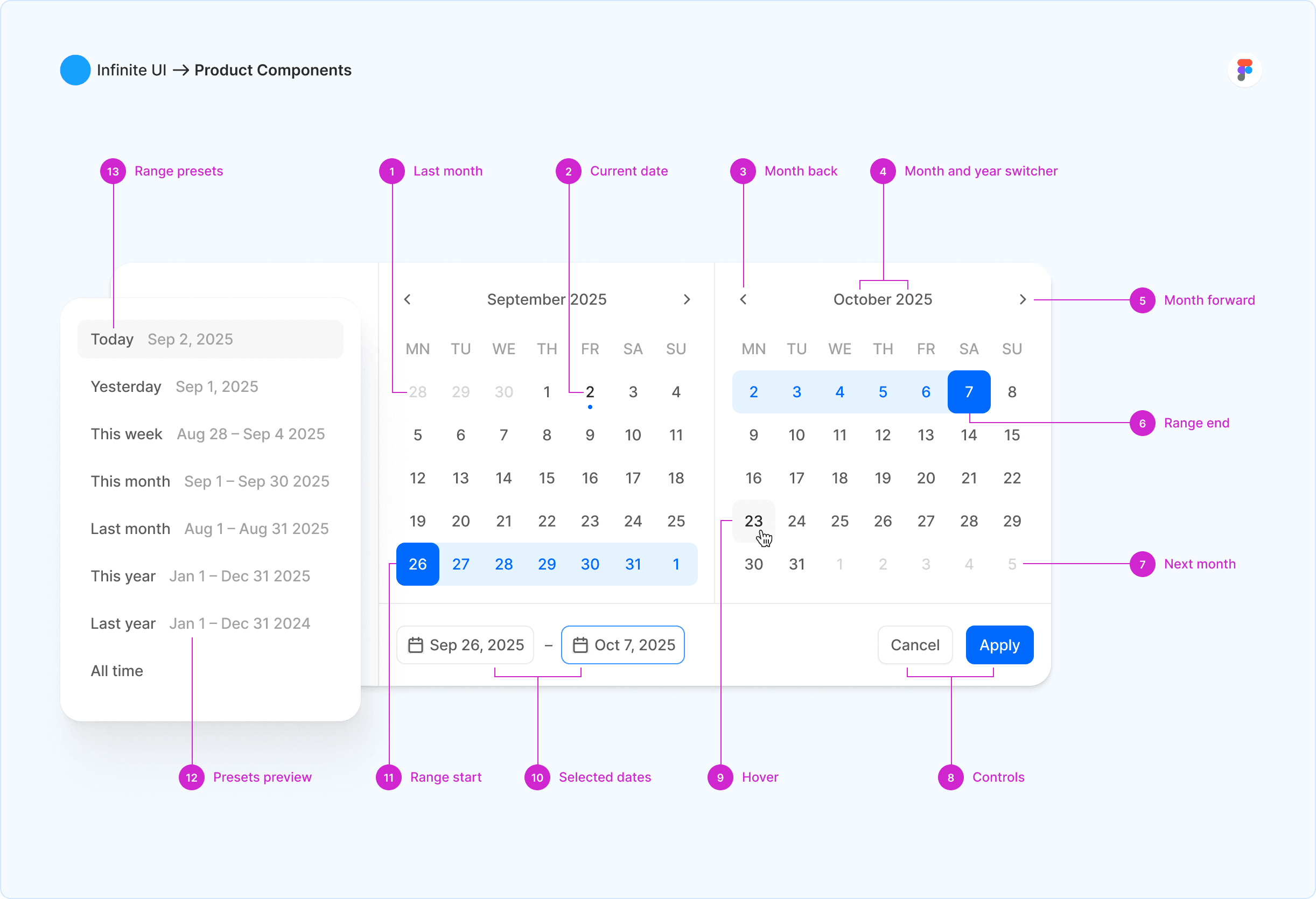
Organisms are built as complete, reusable units, with clear explanations for each element. This ensures consistency and easy understanding across the product.
🔄 9.Elements Variety
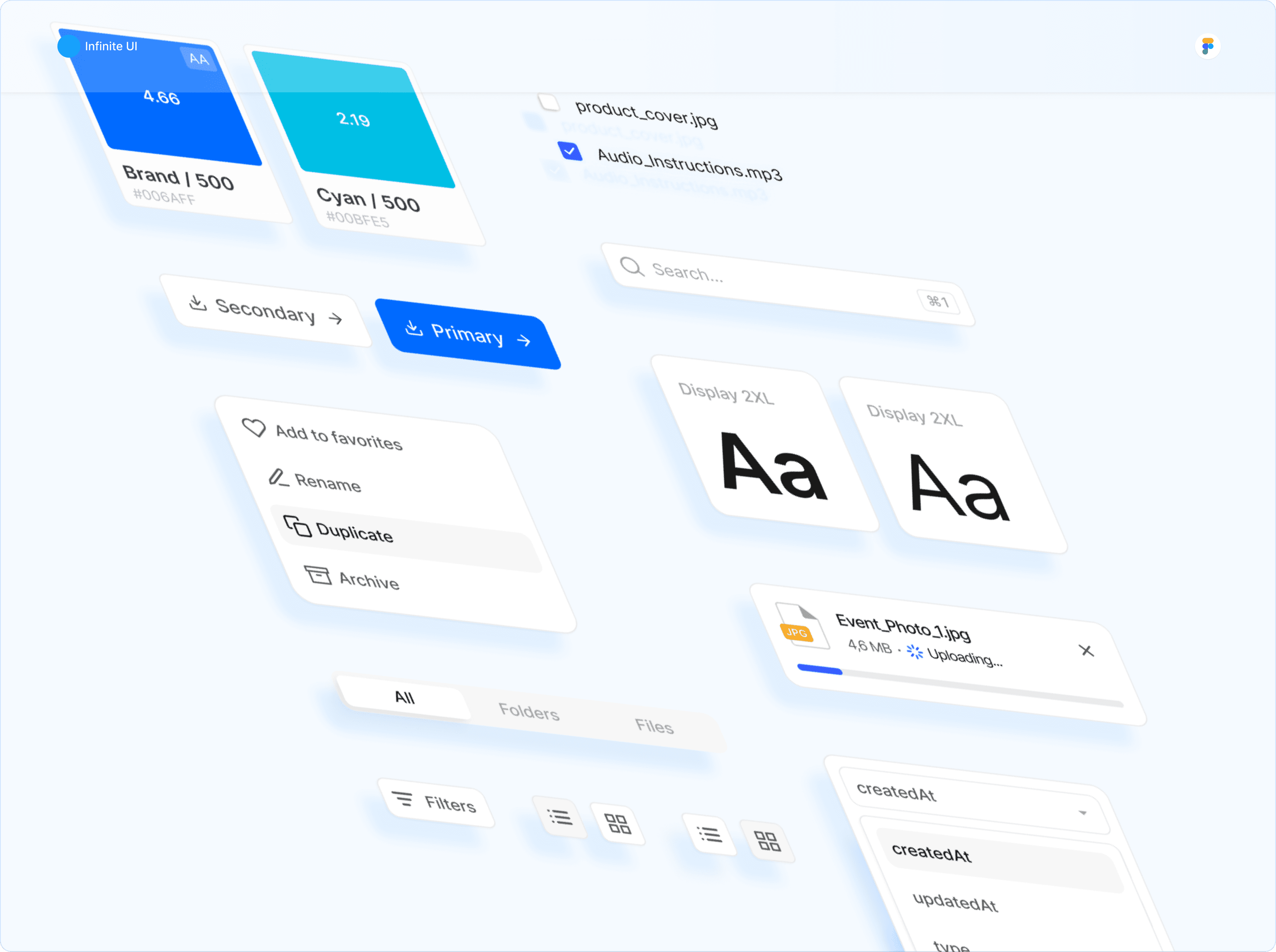
Infinite UI includes all essential elements expected in a modern design system. It’s built to scale without losing consistency, making it easier to expand and grow a product over time.
📝 Summary
I’m currently expanding the system with components and documentation, but even at this stage, it demonstrates my ability to connect visual design, interaction, and structure into one framework.
Stay tuned for updates on full release in 2026!